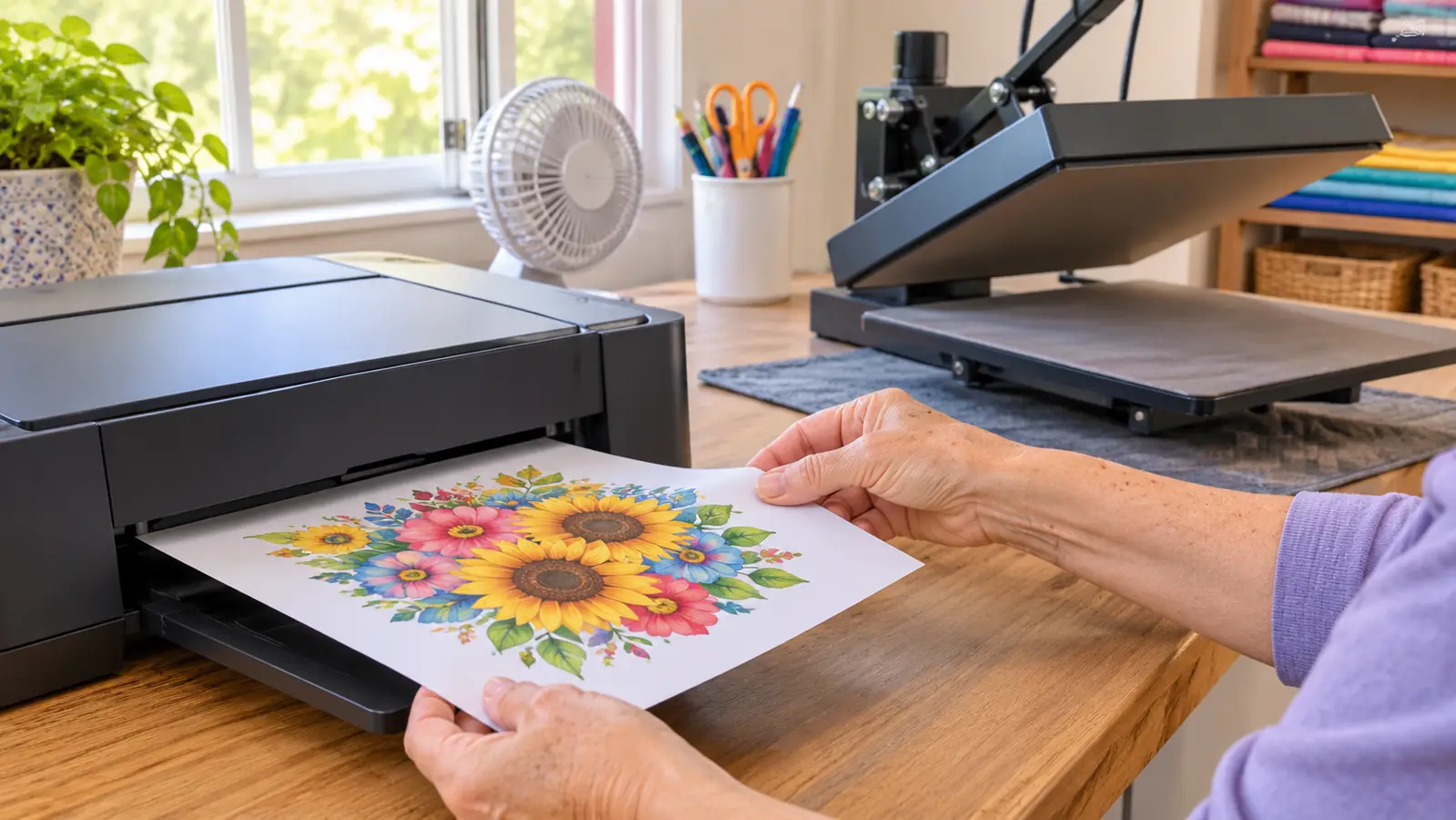
The first thing nobody tells you about the Epson SureColor F170 is that it will not fix a bad blank. I bought mine in September 2025, about 14 months ago, and I still remember the first sheet I pulled off the output tray. It looked faded and chalky, and I thought I had already broken something. Then I pressed it onto a polyester shirt for my granddaughter Lily, and the color came up like someone had turned on a light. That is sublimation. The printer puts the ink on paper, and the heat press does the rest.
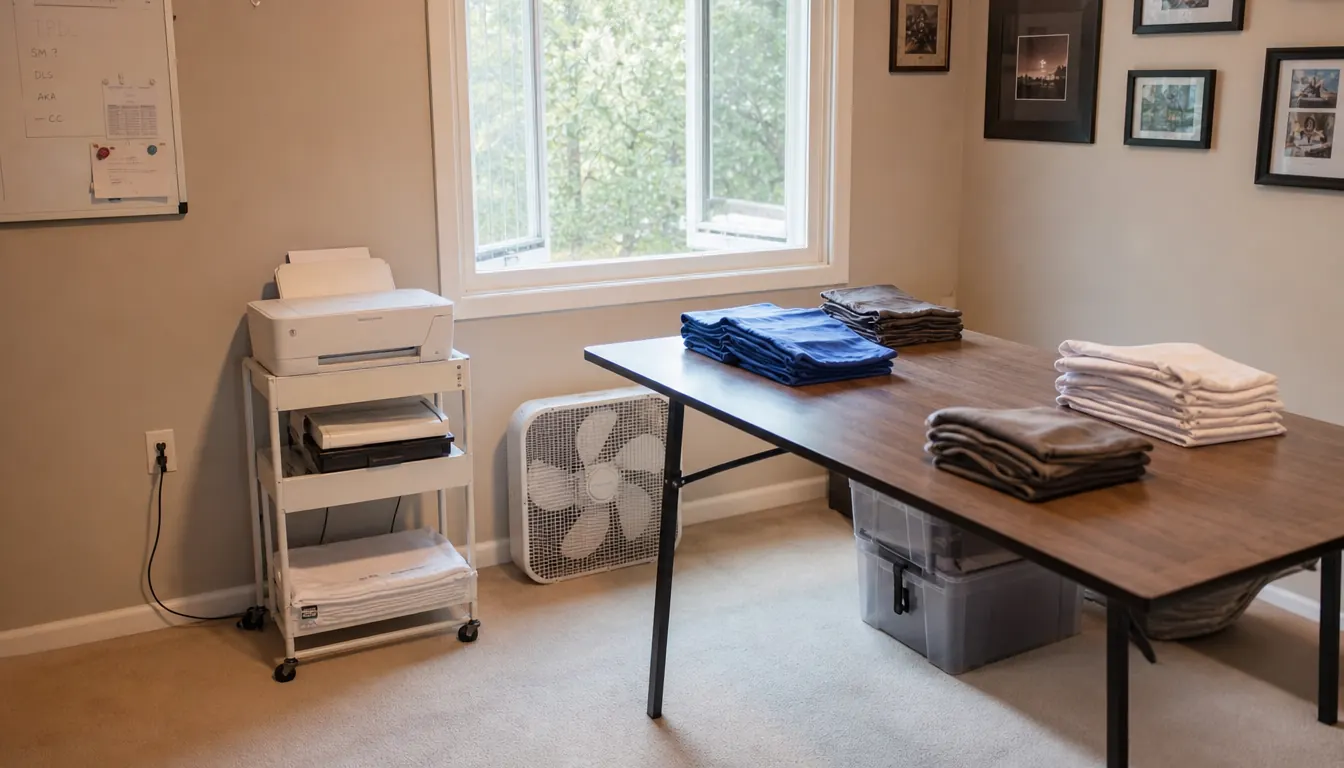
I am Carla Pruitt, 61, retired after 28 years running a school cafeteria, and I make shirts, totes, tumblers and mugs in the spare bedroom of our house in Visalia, California. I am not a print shop. I press for my grandkids, Mason and Lily, for friends, for our church fall festival and for two or three local craft fairs a year. The Epson F170 sits on a small cart beside the six-foot table my husband Ray built, and it has been the most predictable piece of equipment in my craft room. It is also a machine with a very narrow job, and most of what disappointed me at first was my own misunderstanding, not the printer.
The Quick Verdict
Sharp, reliable sublimation prints on polyester and coated blanks, with a compact footprint and Epson inks in the box. It is also an 8.5 by 11, computer-tethered machine that is slow at volume.
Amazon Check Today's Price →The F170 prints dull on paper and bright on fabric. That is the whole trick.
If you want to see the machine I have used for 14 months, the listing is here. Check the specs against your biggest blank before you buy.
Amazon See the Epson F170 on Amazon →How I've Used It for 14 Months
My routine has not changed much since the first month. I turn the printer on, check the ink bottles, and print a small test sheet if it has been sitting for a while. The ink bottles have auto-stop refills, which means I fill to the line and the bottle stops before it overflows. That sounds like a small thing until you have poured ink down the side of a machine. Then I send the job from my PC, let the sheet dry for a minute, trim it and tape it to the blank.
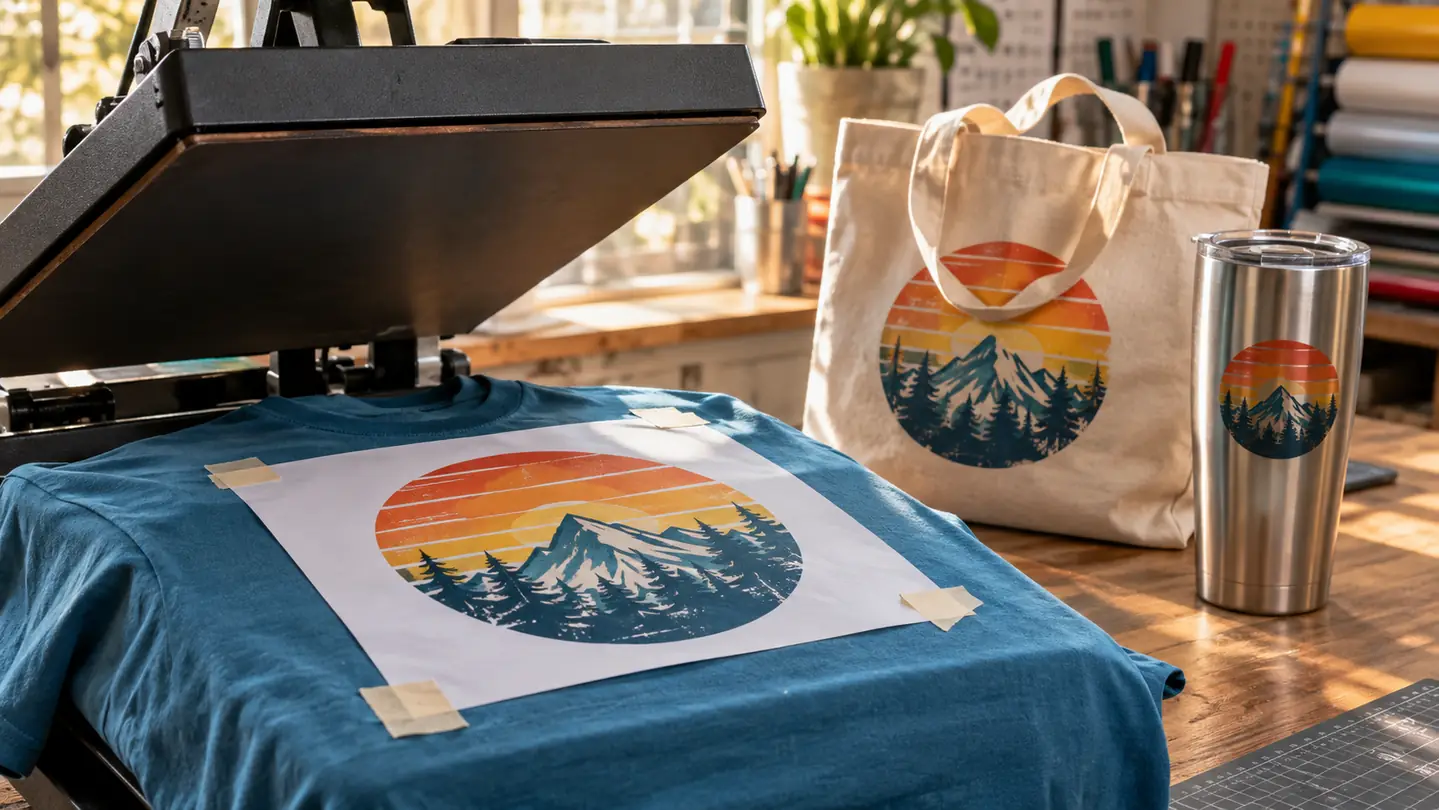
Most of my printing is for shirts. Mason is 10 and plays Little League, and his team shirts are polyester. Lily is 7, and she has a tote bag with her name on it that has survived a whole school year. I also do 20-ounce skinny tumblers, coffee mugs and the occasional pillow cover. The shirts and totes go through my Fancierstudio 15 by 15 clamshell press. The tumblers go through the HTVRONT tumbler press I bought in January 2026. Before that, I did a handful of tumblers in the kitchen oven with shrink wrap, and several came out ghosted or with a seam line. That was not the printer's fault either. It was me learning that heat, time and pressure all have to be close.
This is a dye-sublimation printer, not a vinyl cutter and not a direct-to-shirt machine. It prints a design onto sublimation paper, and then you tape that paper to a polyester shirt, a coated tumbler, a coated mug or a poly tote and press it with heat. The ink turns to gas and bonds with the surface. That is why the paper looks dull and the final piece looks bright. The listing calls the print media fabric, and that matches what I do, but the fabric has to be polyester or specially coated for sublimation. A plain cotton t-shirt is not the job for this printer.
The specs that mattered to me were simple. It prints up to 8.5 by 11 inches, it has a 150-sheet auto-feed tray, and it uses Epson's PrecisionCore printhead at 5760 by 1440 resolution. It weighs 16 pounds and measures 13.7 inches deep, 14.8 inches wide and 7.4 inches high, so it fits on a cart without taking over the room. It is listed as network-ready, and it works with a PC. I installed the driver on my desktop and print from there. That is the workflow.
My first mistake was paper. I used the sample sheets that came with the printer, then I picked up a pack of no-name clearance paper at a craft store because it was on the shelf. It bled, it cockled, and I wasted a few blanks chasing settings that were never the problem. A friend in our church craft group told me to try A-SUB, and I have used the 8.5 by 11, 110-sheet packs since October 2025. I am not saying every cheap paper will fail. I am saying mine did, and the printer got blamed for it.
The safety part is not optional in my house. The press sits on a heat-resistant mat on Ray's table, the window is open, and a small box fan pulls air across the room. Pepper, our gray tabby, is shut out of the craft room whenever the press is hot, and Mason and Lily do not touch the press. I never leave it on and walk away. Sublimation puts off fumes when it presses, and I do not care how small your room is. Open a window and use a fan.
Print Quality: Where It Earns Its Keep
The print quality is the reason I would buy this again. Fine lettering holds. Small logos hold. I have printed Mason's team name in a narrow font and it came out clean on a polyester shirt, with no jagged edges and no muddy letters. The PrecisionCore printhead and the 5760 by 1440 resolution are not just numbers on a page. They show up in the small stuff, like the tiny numbers on a jersey or the thin lines in a logo.
Photos are good too, as long as you remember what sublimation does. I put a photo of the grandkids on a pillow cover last Christmas, and the skin tones came out warm and smooth. The process is not a photo lab. The color you see on the paper is not the color you will see on the shirt. The paper looks muted. The pressed piece looks bright. And the blank matters. A light polyester shirt shows a design the way a dark one will not.
The honest downside is speed. This is not a production machine. I print a sheet, trim it, press it, and then print the next one. If I have six shirts to do, that is an afternoon. If I had 30, I would be looking at a different setup. For a hobbyist doing a team set or a church order, the pace is fine. For someone trying to run a real print business out of a spare bedroom, it would be the bottleneck.
A sheet that looks washed out on paper can press into the brightest shirt in Mason's dugout. The heat is what brings the color out.
Ink, Paper and the Supplies Nobody Warns You About
The printer comes with a full set of Epson sublimation inks, which is a real advantage because you can print the same day you set it up. Epson says the inks are certified ECO PASSPORT by OEKO-TEX, and I use Epson ink because I do not want to chase clogs or wonder whether a bad print is the printer or the ink. I am not going to pretend the ink lasts forever. It is the ongoing expense of this hobby, along with the blanks. Every misprint eats a sheet of paper, ink and whatever you were pressing.
Paper is the other half of the equation. The A-SUB 8.5 by 11 sheets have been consistent for me. I buy the 110-sheet packs and reorder when I get low. I keep them flat in a plastic bin because bent paper feeds badly. The 150-sheet auto-feed tray is helpful for a run of sheets, but I still fan the stack before I load it. That is an old cafeteria habit, and it has saved me more than one double feed.
Nobody warns you about the waste when you start. You will print a sheet, press it, and find out that the color is off or the design is too close to the edge or the blank was not coated the way you thought. I wasted a few tumblers in November and December 2025 before I got the tumbler press. I wasted a few shirts early on because I pressed too hot. The printer did its job every time. The mistakes were mine, and they used up paper, ink and blanks. If you are the kind of person who wants zero waste from day one, this is going to frustrate you.
Maintenance is simple, but it is not nothing. If the printer sits for two weeks, I print a small test sheet before I start a real job. I keep the cart dusted and the paper covered. I have not had a clog that a test print did not clear, and I have had the printer for 14 months. That is about all I can tell you. I am not a repair tech, and I am not going to pretend I understand the inside of the printhead.
What Nobody Tells You Before You Buy
The first thing is the size limit. This printer does 8.5 by 11, full stop. If you want to print a full shirt front and a full back on one sheet, you cannot. If you want to print an 11 by 17 platen for a bigger press, you cannot. I knew that when I bought it, and I still bumped into it when I wanted to do a larger pillow cover. I had to piece the design or shrink it. For shirts and totes and tumblers, 8.5 by 11 is enough. For anything bigger, it is not.
The second thing is that it is not a stand-alone craft machine. You need a computer and you need to learn the printing software side. The listing says compatible devices PC, and that is how I use it. If you are used to a Cricut or a phone app where you tap a design and hit go, this will feel like a step back. I print from my desktop, and I keep my files in a folder by project. That is not glamorous, but it works.
The third thing is the blank problem. Sublimation only works on polyester or specially coated blanks. A cotton shirt will not hold the ink. A plain ceramic mug will not hold the ink unless it is coated for sublimation. A dark shirt will not show the design the way a light shirt will. I buy blanks that are labeled for sublimation, and I test one before I commit to a set. That is the boring advice that saves the most blanks.
The fourth thing is that the printer is not the whole setup. You need a heat press, and you need a way to keep the paper tight against the blank. For shirts I use my clamshell press. For tumblers I use the tumbler press. For mugs, I use the mug attachment on the tumbler press if it came with one; if not, I would be looking at a different method. The printer is one link in a chain. If the press is uneven or the time is wrong, the print will look bad no matter how good the printer is.
The fifth thing is noise and space. It is a compact machine at 16 pounds and about 13.7 by 14.8 by 7.4 inches, but it still needs room for the paper tray and the output. I have it on a cart beside the table, and the cart is what makes it work. I can roll it out when I print and roll it back when I need the table for pressing. If you try to cram it on the same table where you press, you will be moving it every time.
What I Liked
- Sharp small text and clean lines on polyester shirts and totes
- Compact 16-pound body fits on a rolling cart
- Full set of Epson sublimation inks included
- 150-sheet auto-feed tray handles a batch of sheets
- 14 months of regular use without a clog that a test print would not clear
Where It Falls Short
- Prints only up to 8.5 by 11 inches
- Needs a PC and a heat press to finish the job
- Slow for more than a few pieces at a time
- Epson ink and good paper are ongoing expenses
- Sublimation blanks must be polyester or coated, so cotton is out
- Paper looks muted before pressing, which confuses beginners
Who This Is For
This is for the hobbyist who makes shirts for a team, totes for a school, tumblers for a church event and a few craft fair pieces a year. It is for someone who wants reliable color and does not need to print wider than a standard sheet. It is for someone who is willing to learn the heat press side, because the printer is only half of the job. If you are making 12 shirts for Mason's team and a tote for Lily and a set of tumblers for the fall festival, this printer will handle all of it.
It is also for someone who has a dedicated spot for it. My cart is in the spare bedroom, next to the table Ray built, with the window and the fan. I do not have to clear the kitchen table every time I print. If you do not have a spot, the setup and teardown will wear you out faster than the printer will.
Who Should Skip It
Skip it if you need wide format. Skip it if you want to print directly onto a shirt without paper and a press. Skip it if you only work in cotton. Skip it if you want a machine that runs from a phone with no computer. Skip it if you are trying to fill orders at volume, because the pace will not keep up. And skip it if you are not willing to open a window and manage the heat safely. A heat press is a hot tool, and sublimation puts off fumes. That is not a reason to be afraid of it. It is a reason to be honest about your space.
I would also skip it if you are looking for a craft machine that cuts vinyl. This is a printer. It does not cut. I use my Cricut Explore Air 2 for vinyl and my Epson for sublimation, and they are different jobs. If you want one machine to do everything, this is not that machine.
Buy it for the jobs it can do, not the ones you wish it did.
If your work fits on 8.5 by 11 and you have a heat press and a PC, the Epson F170 is a sensible hobbyist printer. If you need bigger or faster, keep looking.
Amazon Check the Epson F170 listing on Amazon →